Leviathan Evolution on Mobile
Touch-friendly tips for hatching, redeeming codes, farming food, and team hunting from your phone.
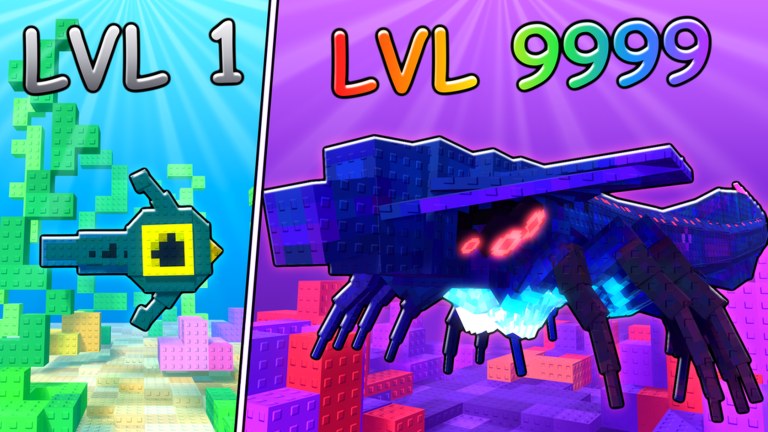
Most Roblox sessions happen on a phone, and +1 Leviathan Evolution is no exception. The ocean loop—hatch a tiny fish, eat food, climb the Evolution Tree through 20+ creatures, then team hunt toward King of the server—works on mobile, but the UI, camera, and performance habits differ from PC. This guide covers touch controls, finding REWARDS → CODES, keeping frame rate playable, and coordinating with friends when you only have thumbs. For the full input map, see Controls. For day-one steps, see Getting Started. For code UI detail, see How to Redeem Codes.
The experience is often labeled [QOL] +1 Leviathan Evolution by 30 dollar games. Servers hold about 20 players, so mobile clarity matters: if you cannot read silhouettes or tap the code box cleanly, you feed the lobby instead of evolving.
Why mobile needs its own habits
On PC you have hover precision, a large FOV, and easy multitasking. On mobile you have:
- A smaller safe tap area around menus.
- Thumb occlusion over the lower third of the screen.
- Thermal throttling after long farm sessions.
- Harder party voice unless you use Roblox chat or an external app.
None of that blocks King of the server. It just means you should prep before boosts, simplify camera goals, and pick quieter servers while you are still a fish.
Touch controls that actually matter
Exact bindings can shift with Roblox updates, but mobile success in this game comes from a short checklist:
- Movement stick comfort — Keep your movement thumb relaxed. Death tax from cramped grips is real during five-minute 2x XP windows.
- Camera drag discipline — Practice short camera adjustments so you spot food clusters and predators early. Over-spinning loses lanes.
- One-thumb menu rule — Open REWARDS only when you are safe or paused in a quiet pocket. Mid-fight menu taps are how fish become snacks.
- Bite timing — On touch, commit to clear food targets. Panic mashing through contested bites often turns you into leviathan XP.
- Recalibrate after evolution — Bigger forms change turn radius and camera feel. Spend sixty seconds in a safe lane after every unlock (How to Evolve).
If something feels wrong after a Roblox client update, re-open Controls and re-test in a quiet server before redeeming VOID or UPDATE3.
Finding REWARDS, CODES, and redeeming on phone
Codes are still the fastest free boost. Active strings as of mid-November 2026:
- VOID — 5K Coins + 2x XP for 5 minutes
- UPDATE3 — 2K XP + 2x XP for 5 minutes
On mobile:
- Join the place and wait until HUD buttons finish loading—do not mash during the first spawn stutter.
- Tap REWARDS on the left side of the screen. If your thumb covers it, rotate the device slightly or use a lighter grip.
- Open the CODES tab.
- Tap the input field, paste or type carefully (case-sensitive).
- Tap REDEEM and watch for the reward toast before closing the panel.
Full troubleshooting—invalid codes, UI not opening, paste issues—lives on How to Redeem Codes. Mobile-specific tip: paste from your notes app when possible; fat-finger typos waste time inside boost windows.
Mobile boost playbook
- Scout a dense food pocket first (habits from Grow Fast).
- Clear notifications so the OS does not steal focus mid-redeem.
- Redeem UPDATE3 / VOID, close the menu immediately, and swim.
- Do not screenshot the toast during the timer—farm first, brag later.
- If an evolution is ready, take it before or at the start of 2x so boosted bites land in the stronger form.
Performance and battery
Ocean games punish low frames: food pops late, predators appear late, and team peels fail. Improve mobile performance with boring but effective steps:
- Lower Roblox graphics until motion stays smooth in contested mid lanes.
- Close background apps before a boost window—especially video and navigation.
- Avoid charging-while-max-brightness sessions that thermal throttle after ten minutes.
- Prefer portrait or landscape consistently once you learn tap positions; flipping mid-hunt resets muscle memory.
- Hop servers if hitching coincides with a packed King lobby—your phone may simply need a quieter shard.
A smooth low-graphics fish that lives five minutes beats a high-graphics fish that dies twice during UPDATE3.
Playing with friends on phone
Team hunts win King races, and mobile players can carry roles if communication is simple:
- Pre-party before codes — Invite friends, agree on a pocket, then redeem so nobody is still loading during 2x.
- Assign fat roles — Scout, peel, finish. Mobile chat is slow; short role names beat essays.
- Use safe emotes or short chat macros — “rotate,” “peel,” “evolve” are enough.
- Do not solo-center as a mid form — Phone FOV makes surprise leviathans harder; hold edges unless the party calls a push.
- Share server links carefully — Join the same shard before popping boosts.
Role charts and hunt structure sit on Team Hunt. Prestige goals sit on King of the server.
Mobile session plan (30–40 minutes)
- Minutes 0–3: launch, graphics check, join a quieter server if you are early-game (Getting Started).
- Minutes 3–6: open REWARDS → CODES; redeem if a farm route is ready.
- Minutes 6–20: farm edge/safe pockets; evolve on value; recalibrate touch turning.
- Minutes 20–30: optional duo hunt on a pre-agreed lane.
- Minutes 30–40: stop on a completed Evolution Tree node; note coin spends for next login.
Short sessions respect battery and keep boosts intentional.
Common mobile mistakes
- Redeeming codes with one hand while walking IRL—context switches kill timers.
- Leaving graphics on max until the phone throttles mid-hunt.
- Opening CODES during a chase because you “just remembered.”
- Skipping Controls after a big evolution and blaming the tier list.
- Trying to learn King fights on a scorching device at 15 FPS.
Related reading
- Controls — PC and mobile input habits.
- Getting Started — hatch, food, first evolution, UI overview.
- How to Redeem Codes — detailed REWARDS → CODES path.
- Coins & XP — VOID vs UPDATE3 spending priorities.
- Grow Fast — food routes and boost timing.
Mobile is not a lesser way to play Leviathan Evolution—it is the default way many players meet the ocean. Stabilize touch, protect performance, redeem cleanly, and let every boosted bite buy the next creature on the tree.
Frequently Asked Questions
Quick answers for Leviathan Evolution on Roblox.
Can I redeem Leviathan Evolution codes on mobile?
Yes. Tap REWARDS on the left, open the CODES tab, enter VOID or UPDATE3 exactly, then tap REDEEM. Paste from notes when possible to avoid typos.
What graphics settings should I use on phone?
Lower graphics until movement and food pops stay smooth. A stable low setting beats high graphics that thermal throttle during 2x XP windows.
Is team hunting viable on mobile?
Yes if you pre-party, assign simple scout/peel/finish roles, and avoid solo center pushes with limited FOV. See the Team Hunt guide for role structure.
Why do I keep dying after evolving on mobile?
Larger forms change turn radius and camera feel. Recalibrate for about a minute in a safe lane after each unlock before contesting mid food.
Which pages should mobile players read first?
Start with Getting Started, confirm Controls, then use How to Redeem Codes before your first VOID or UPDATE3 boost window.